Multichannel audio. On iPhone.

Record every input.
Keep every detail.

Connect a compatible USB audio interface and turn your iPhone into a focused multichannel recording workspace—from first level to final export.

  • iPhone & USB audio inputs
  • Independent channel control
  • Local-first projects
MultichRecord recording four independent input channels with live level meters
MultichRecord input source list showing the iPhone microphone and a six-channel USB audio interface

One continuous workflow

From connected input
to finished files.

MultichRecord keeps the essential controls close and the signal path understandable, so you can stay focused on the sound instead of the setup.

Input Sources

Plug in. See every channel.

Choose the built-in iPhone microphone or a compatible USB audio interface. MultichRecord reads the active source and presents its available channels before you record.

  • Clear source and channel count
  • Built-in and external input support

Format control

Capture with intention.

Select the recording sample rate and bit depth that fit your session and connected hardware.

Live meters

Know what is happening.

Follow every channel independently and mute inputs without losing sight of the whole session.

After the take

Listen closer.
Finish faster.

01

Multitrack playback

Every waveform,
in its place.

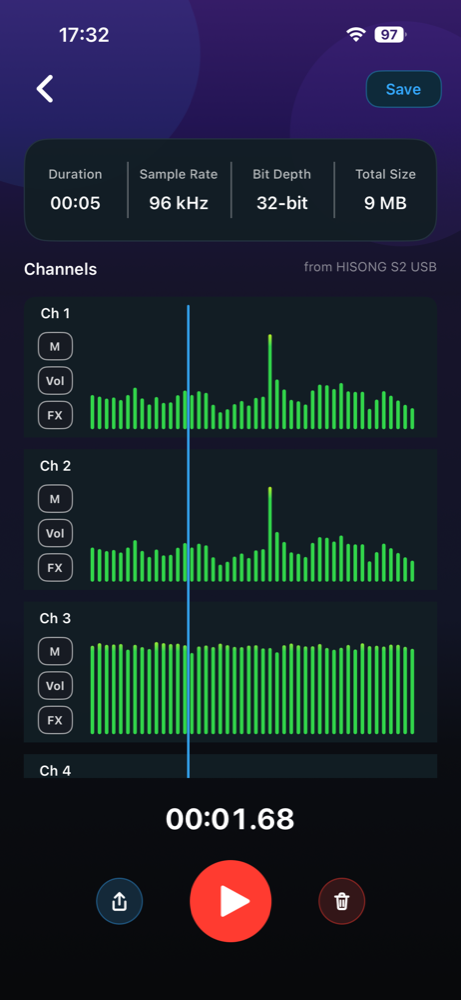
Review aligned channel waveforms on one timeline. Adjust mute, volume, and FX per channel, while project duration, sample rate, bit depth, and size stay visible.

WaveformsMuteVolumeFX
MultichRecord playback screen with aligned waveforms and channel controls

02

Channel FX

A better sound,
without the maze.

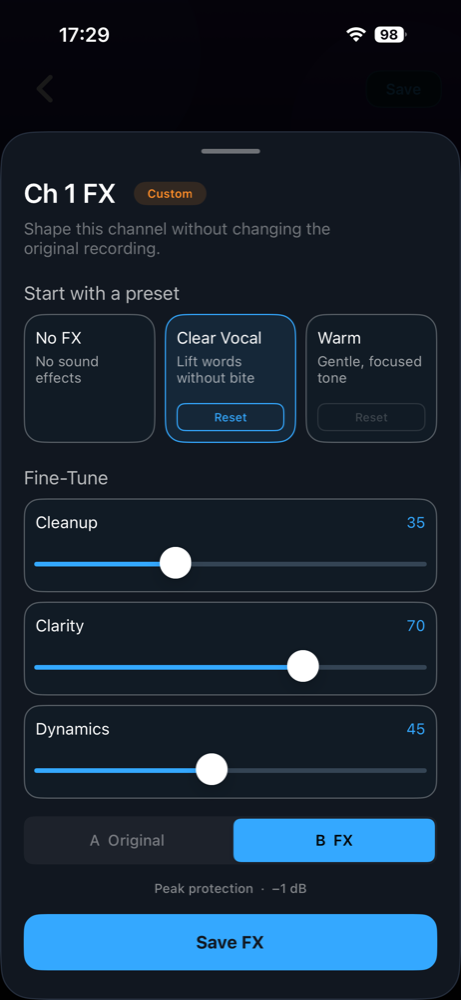
Start with No FX, Clear Vocal, or Warm. Then fine-tune Cleanup, Clarity, and Dynamics, compare Original and FX, and save only when it feels right.

No FXClear VocalWarm
MultichRecord channel FX panel with presets, fine-tuning controls, and A/B comparison

03

Flexible export

Share the mix.
Or every channel.

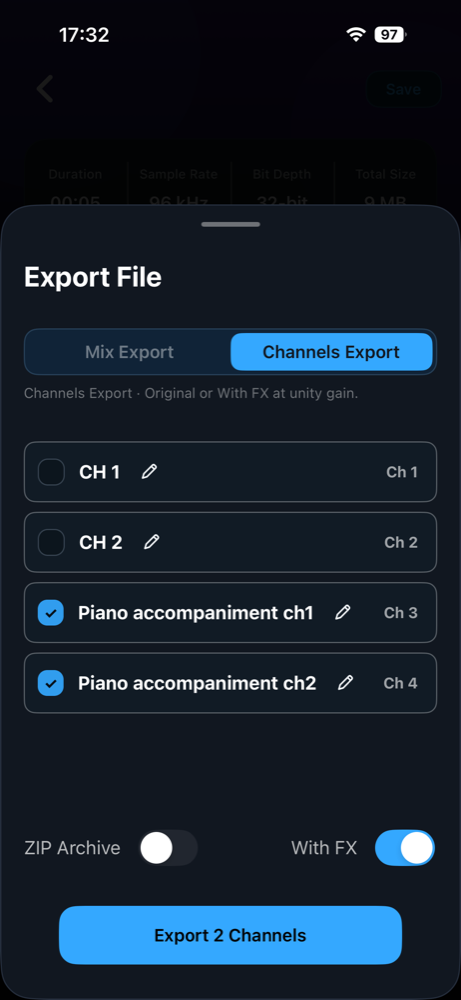
Export a finished mix or select individual channels. Rename outputs, choose original or saved FX, and package channel files into a ZIP archive when the handoff calls for it.

MixChannelsWith FXZIP
MultichRecord channel export panel with channel selection, naming, FX, and ZIP options

Built around the recording

Serious where it matters.
Simple everywhere else.

Local-first

Your recordings and projects remain on your device unless you choose to export or share them.

Channel-aware

Inputs, meters, waveforms, FX, and exports stay organized around the channels you actually recorded.

Made for focus

Clear hierarchy, restrained controls, and a dark workspace keep attention on the session.